
Introducing FF Hub

On August 6, when the Flying Fries store opened, I ended the announcement with a promise: "Somewhere in 2027, I want to build a proper Flying Fries application: a package manager for the add-ons you bought or picked up free from this store." That same day, I wrote the first note about what it could be.
It is not 2027 yet. But FF Hub is already available. Today, for free, on flyingfries.com/workshop.
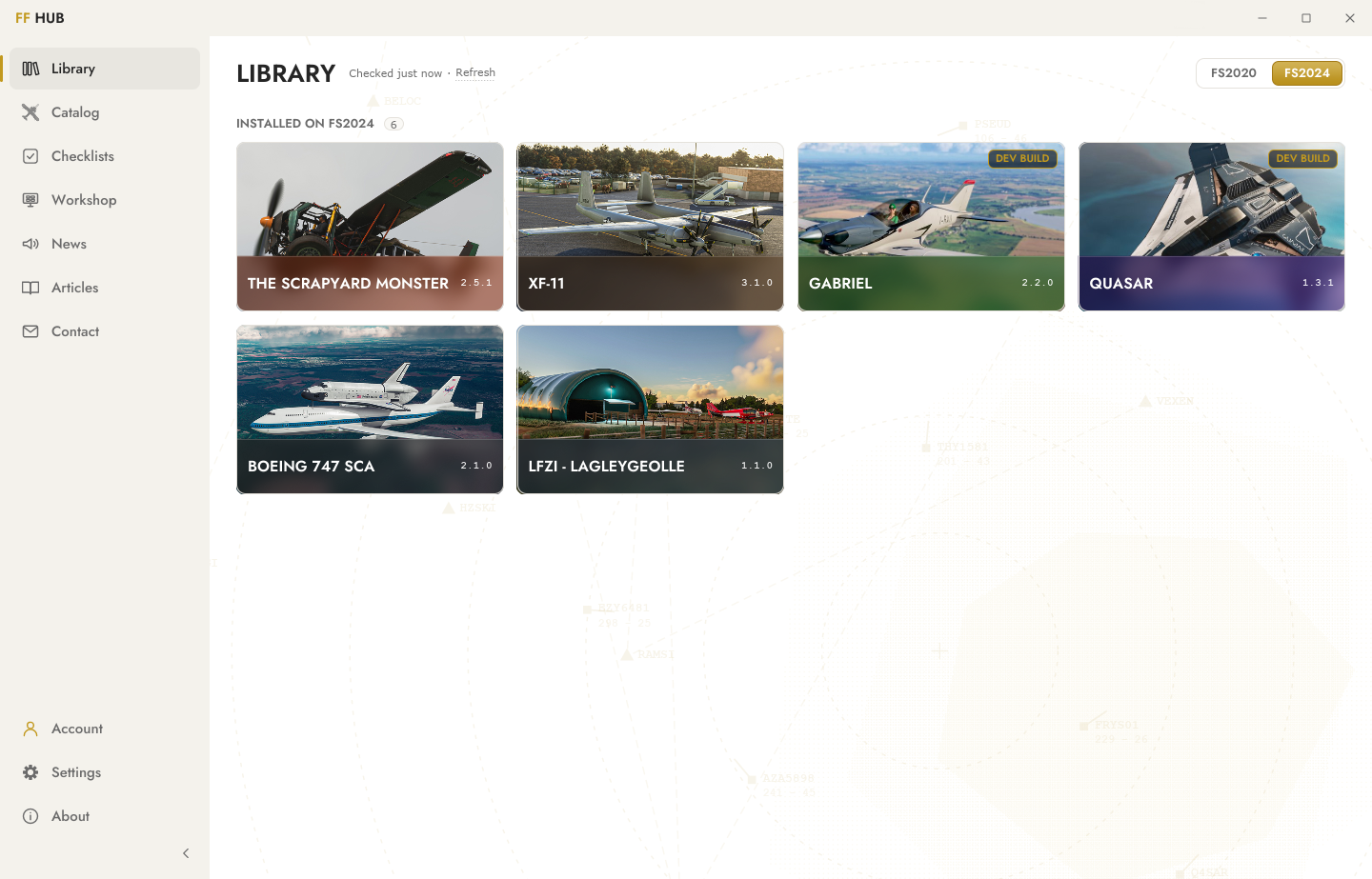
One zip file at a time
Until today, buying an aircraft on flyingfries.com ended with a zip file. You downloaded it, unzipped it, found your Community folder, dropped the right folder in the right place, and hoped it was the right one. When an update came out, you got an email, and you did it all over again.
It works, and most of us have been doing exactly that for years, with most add-on stores out there. But it is precisely the kind of chore a computer should handle for you. And it is the one thing a website simply cannot do: write into your Community folder.
Installs and updates, handled
That is the part FF Hub takes off your hands. Sign in with the email address you use on the store, and your library is there: every Flying Fries add-on you bought or picked up for free on flyingfries.com, its current version, and where it is installed.
- FS2020 and FS2024, whether you run the Steam or the Microsoft Store edition.
- Your default Community folder, or a custom one, and it plays nicely with Addons Linker.
- One click to install, one click to update, with the changelog right where you need it.
- Ready for what comes next: the Hub already knows how to handle an aircraft that exists both as an FS2020 build and as a native FS2024 build.
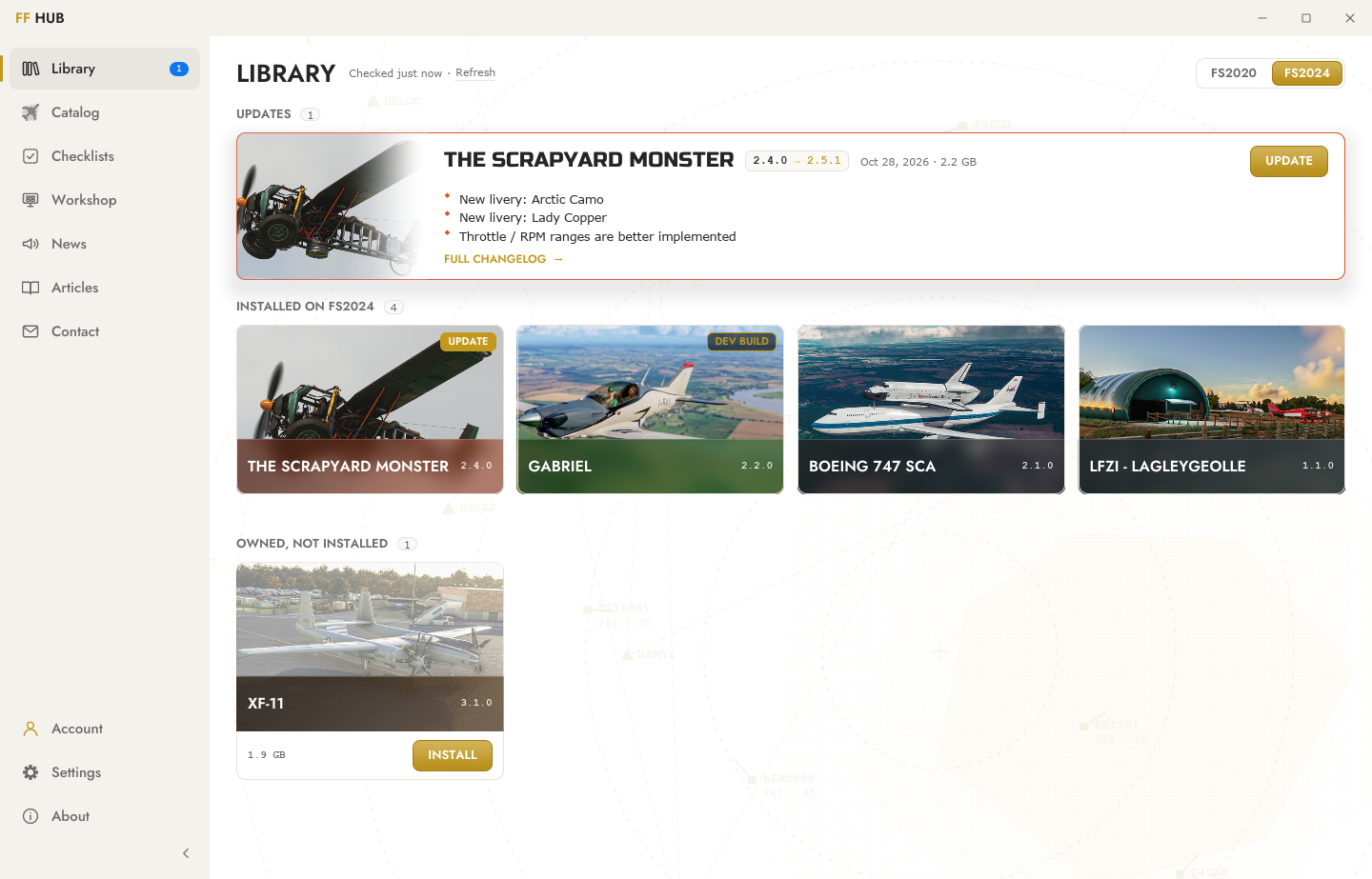
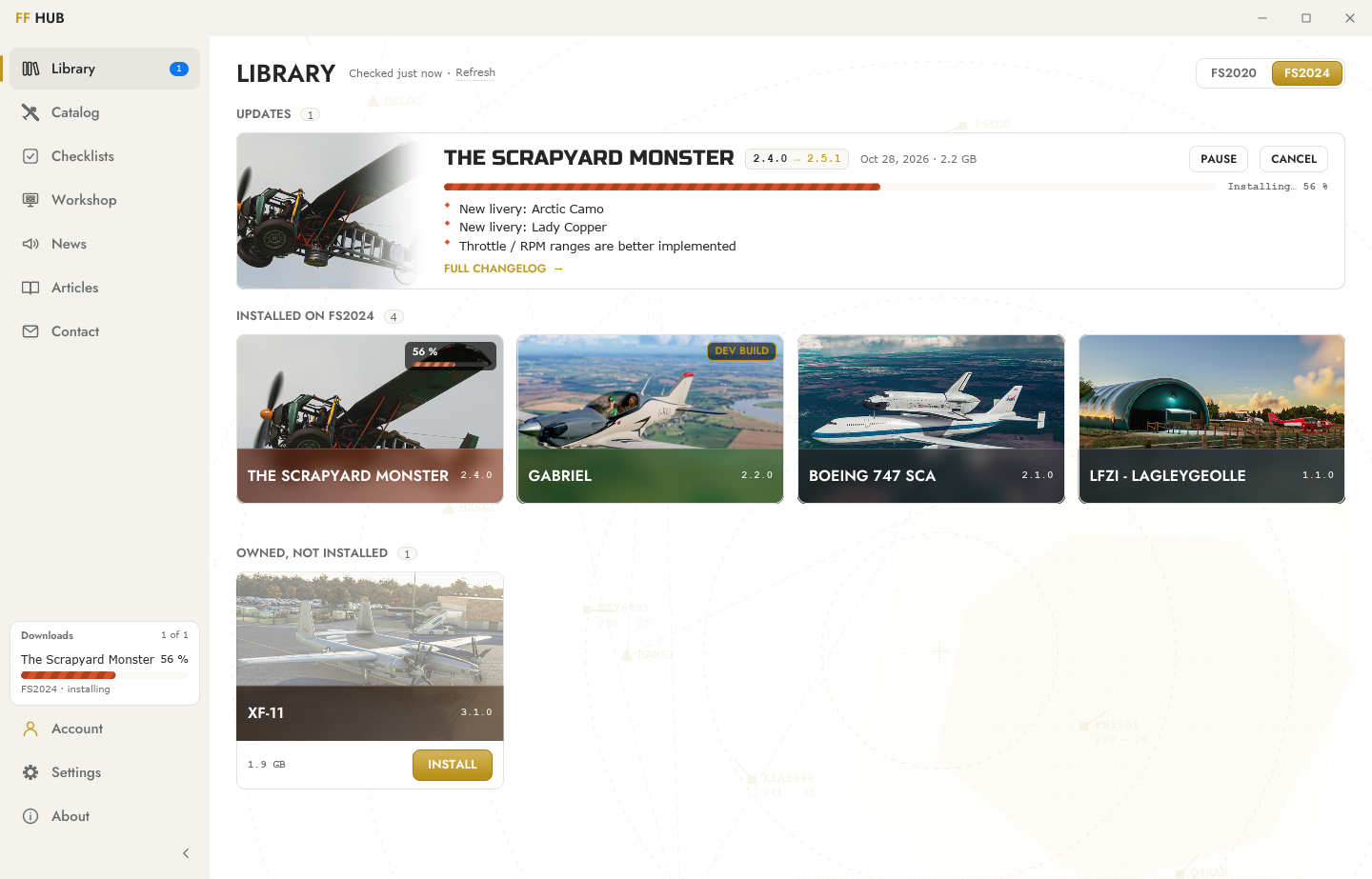
And the add-ons you got somewhere else? The Hub sees them. It shows you the installed version and its changelog, and lets you uninstall them. It does not update them, though: updates come from the store you got them from. However, if it is one of our freeware add-ons grabbed from another site, a Get it free button adds it to your flyingfries.com account, and from then on, the Hub keeps it up to date.
No account? No problem. Everything else in the Hub works without one. The account is there for what the Hub was born to do: manage your installs and your updates.
More than an installer
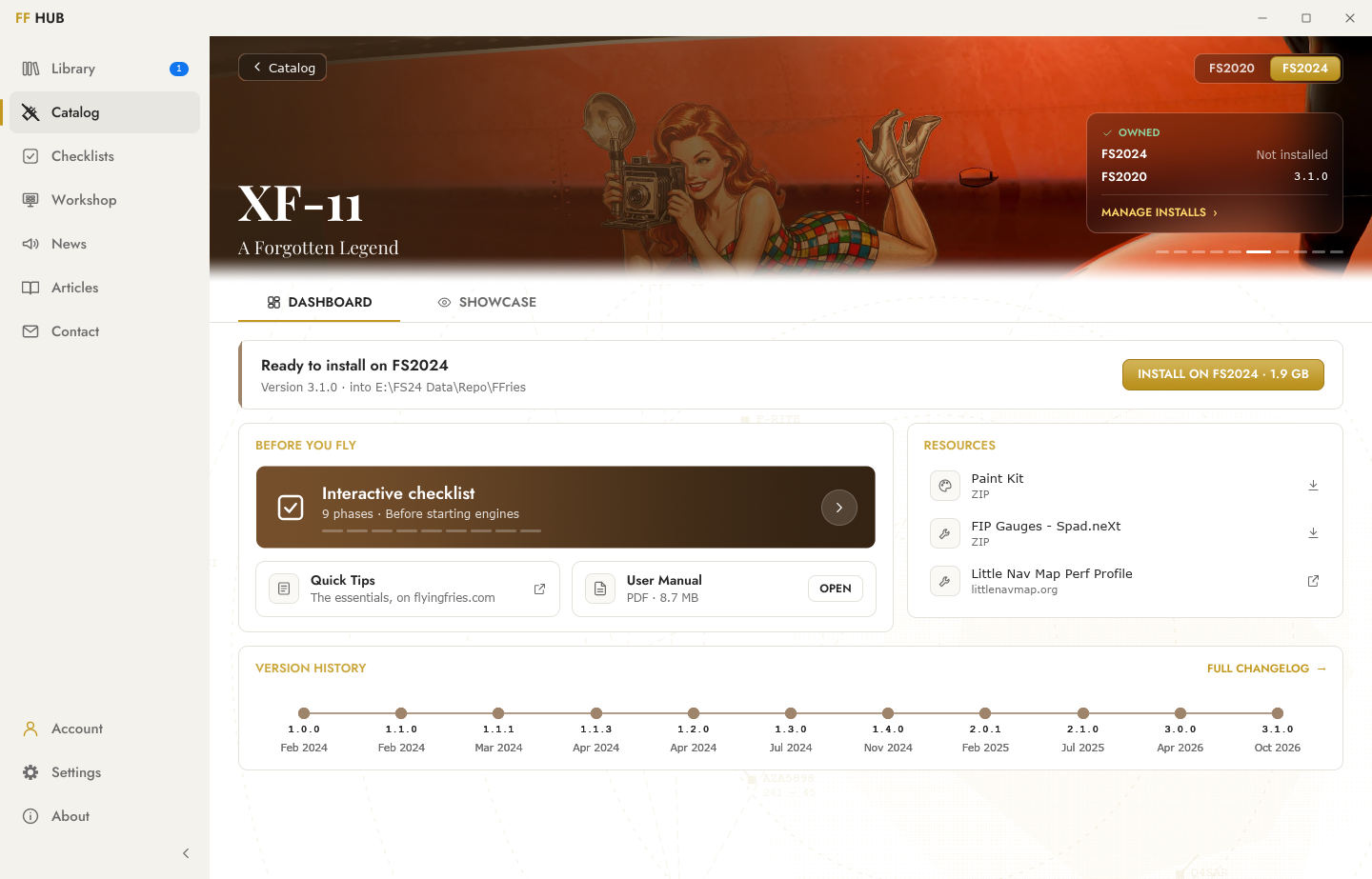
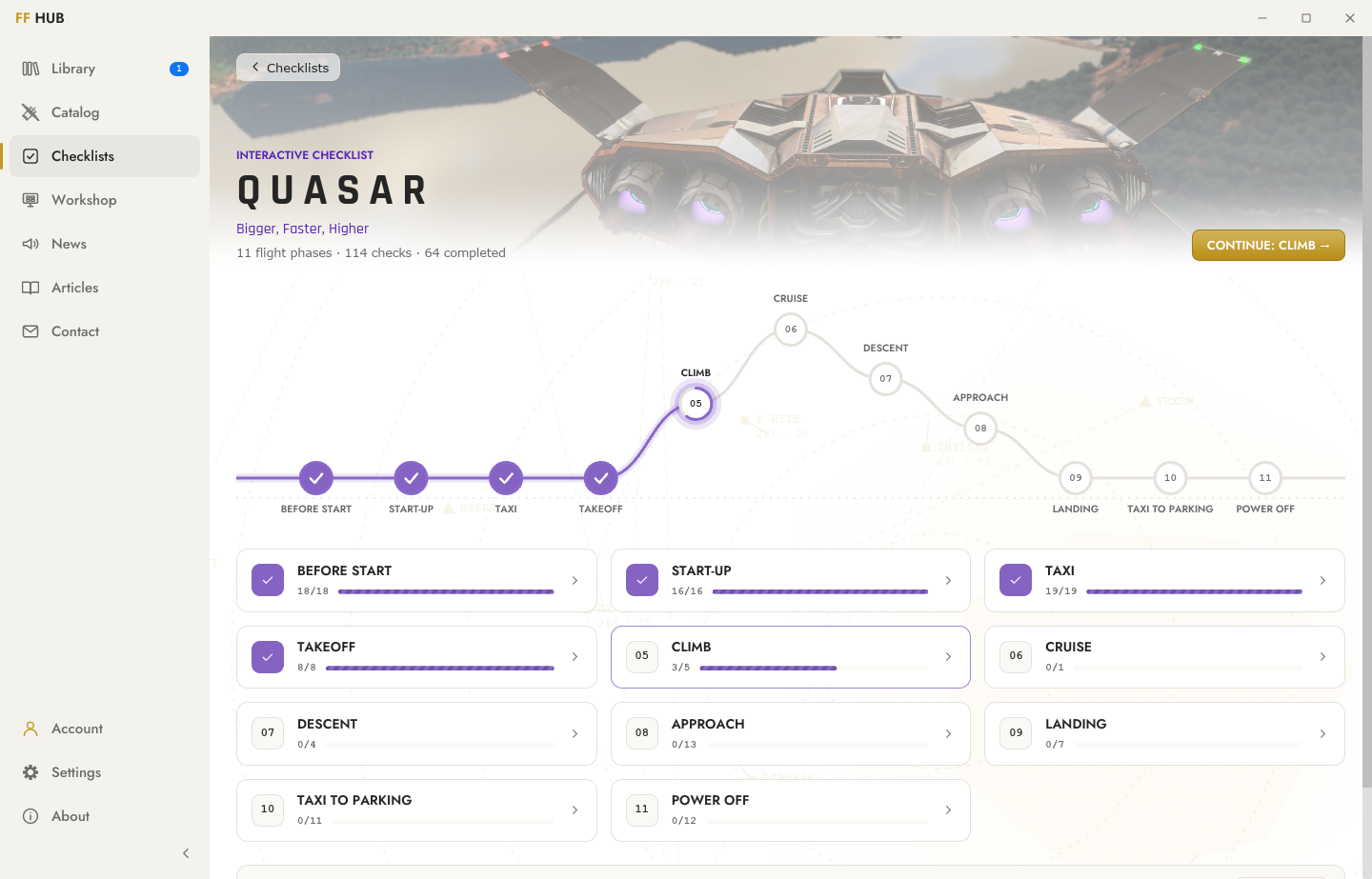
The Hub did not stay an installer for long. I kept having ideas to expand its scope... So the whole website is in there, rendered natively rather than displayed as web pages:
- the catalog, where a product page is a showcase when you do not own the aircraft, and a dashboard when you do;
- the studio news and the articles, this one included;
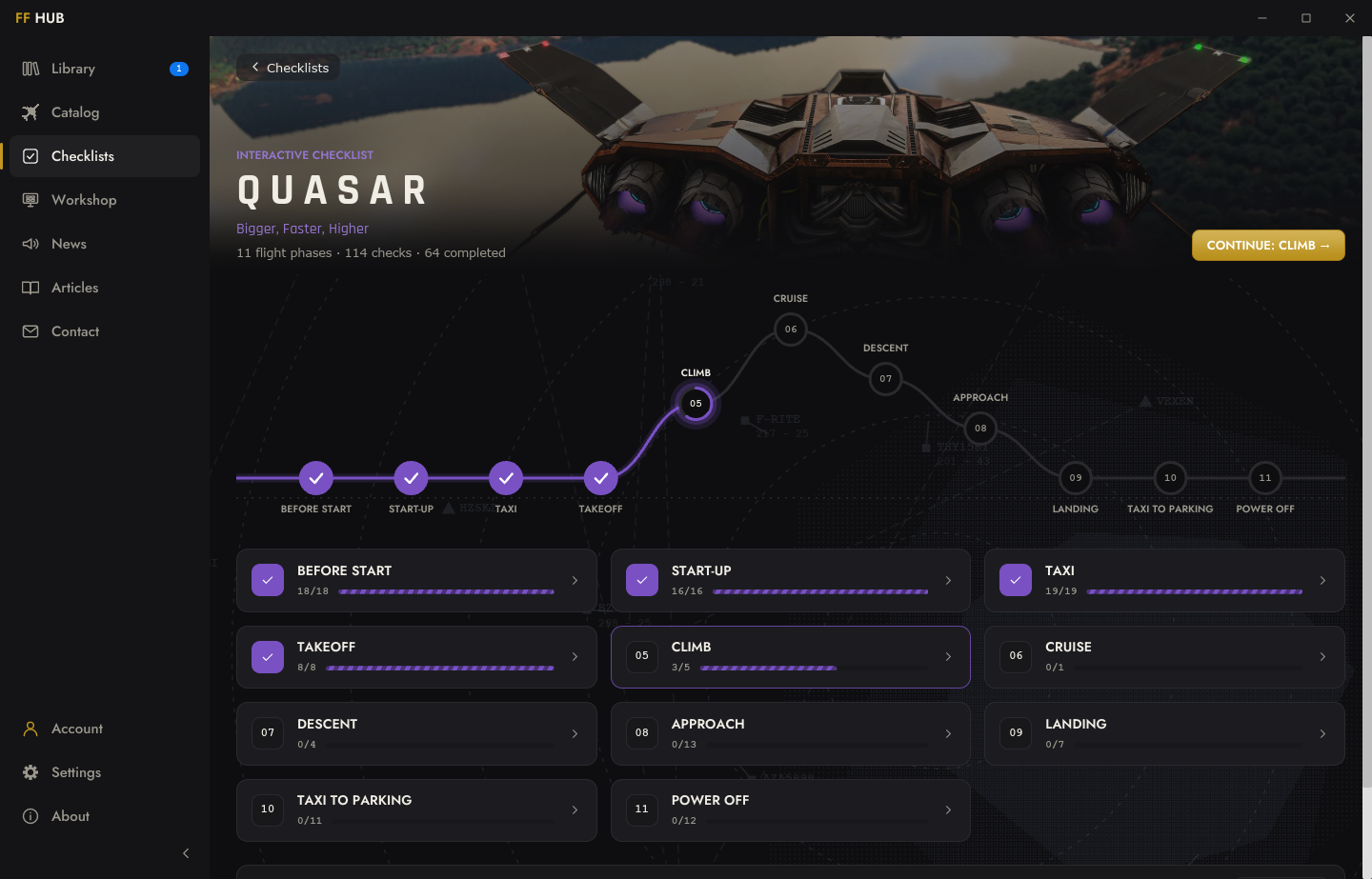
- the interactive checklists, with a compact mode: a small window that stays on top, right next to the simulator, so you can tick your items while you fly;
- your account and the contact form.
Quality is in the details
A large part of the time went into things nobody would have complained about if they had been left out.
- The hatched transition. When you open a product, diagonal bands in the product's own accent color sweep across the screen to transition from and to the product's page. The seam between the two pages hides under the central band. It's subtle, it was delicate to achieve, it's glorious!
- The frosted glass. Everything that floats over the content sits on blurred glass, and that glass adapts band by band so the text stays readable over any photo, dark or bright. And I could describe the various effects of the glass, as it's not just a transparent and blurred background, but you will see for yourselves.
- The sounds. Fourteen of them, one for each kind of moment: an install finished, a checklist phase completed, a new purchase arriving. Chosen with care, from professional sound banks. No, there is no K.A.R.A. talking (yet) ;)
- The restraint. The Hub starts in under a second, and when nothing moves on screen, it uses no processor time at all.

And then something funny happened: by improving the look of some elements and adding metadata to them, we had to "upgrade" the website. Technically and visually. So the account page, the news, the new Workshop pages and the site menu were all redone over the past weeks, on the model of the Hub.
A few rules
Some decisions were made on day one and never moved:
- Nothing to buy inside the app. The store opens in your browser, and free add-ons go through a regular order at $0.
- No telemetry, no machine identifier. The contact form sends your message, and nothing else.
- Installed for your user only, no administrator rights required.
- English only.
It runs on Windows 10 and 11. On the very first install, Windows may warn you that it does not recognize the publisher. That is because the Hub is not signed with a code signing certificate, which costs several hundred dollars a year, and which most installers in our small world do without. Click More info, then Run anyway, and you will never see that warning again.
Made between two Blender sessions
If you are wondering whether the Hind paid the price for all this: it did not.
The Hind is, and remains, my main job these days. But nobody can spend twelve hours a day in Blender without slowly losing their mind. The Hub became my daily change of scenery: an hour or two here and there, every day for a month, then back to the helicopter. It is fractioned time, and it turned out to be very productive time, on both fronts.
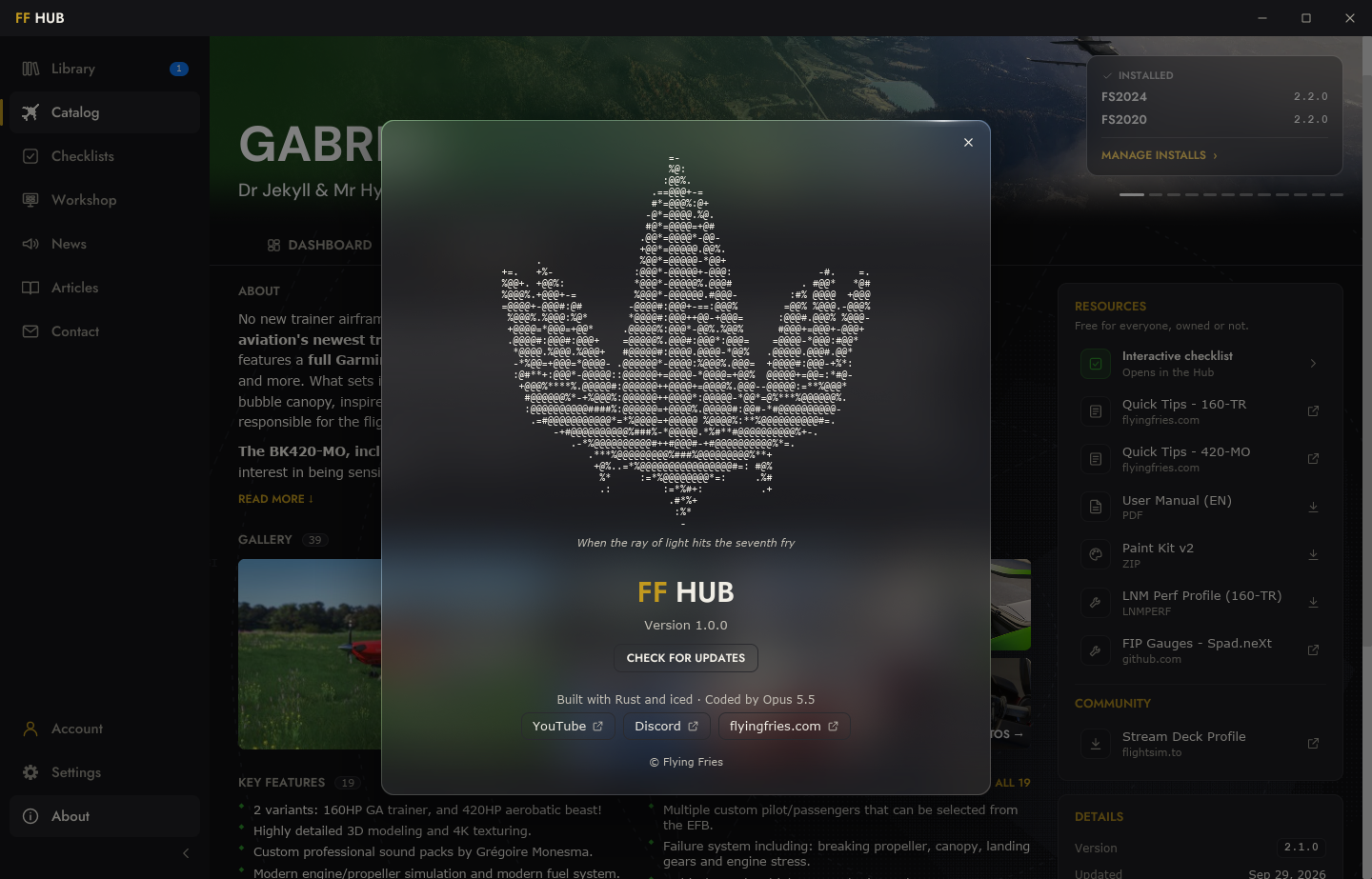
Now, about the code. I do not write Rust. FF Hub was coded by Claude Code, Anthropic's AI coding assistant, and it says so in the About panel. I know what some people picture when they read that sentence: a prompt, a coffee, an app. Well, first of all, I don't drink coffee! More seriously, here is what it actually looked like:
- Two months of maturing between the first note and the first day of real work.
- A full month of design and development, from the founding decisions in mid-October to the release.
- A throwaway prototype before a single line of the real thing, to test the graphics library on six concrete challenges, with real content from the website.
- 22 interactive mockup boards, and every user journey walked through step by step before it was built.
- Every screen, every animation and every sound reviewed, discussed, and very often sent back.
- 92 automated tests, plus 54 scenes the app plays and captures by itself so that each new version can be compared to the previous one, pixel by pixel.
- A complete code review before the release, which led to 19 fixes.
The code came out of the machine. The decisions, the standards and the stubbornness are mine. Working as a human and machine pair did not make this project quick and careless. It made it possible at all, and it let me hold it to the same standard as the aircraft.
The Workshop
None of this changes what Flying Fries is. The core of the studio is, and will stay, building exceptional aircraft for Microsoft Flight Simulator.
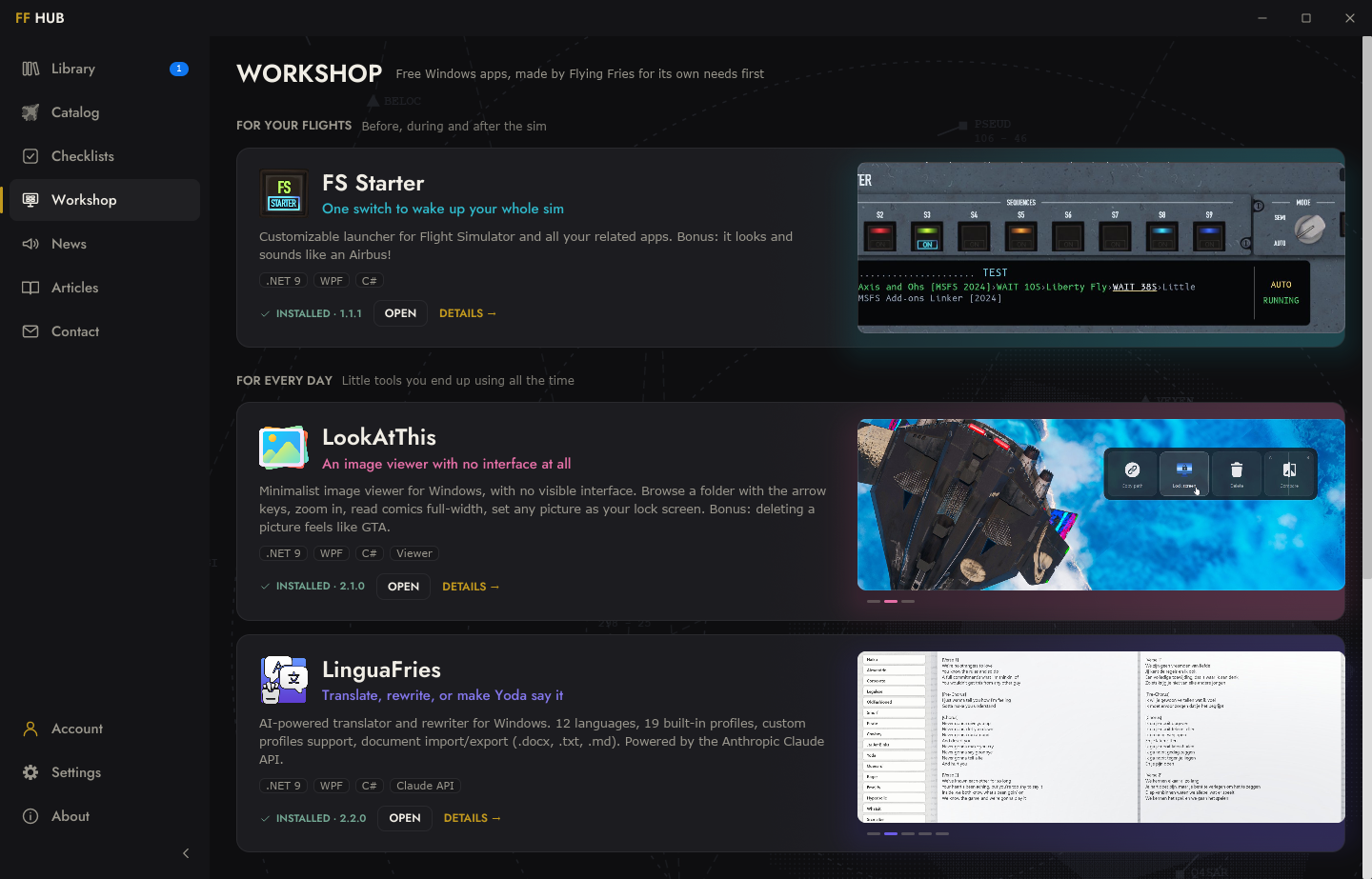
But there is now a Workshop section, on the website and in the Hub, for the desktop apps the studio distributes. LinguaFries, FSStarter and LookAtThis are already there, and so is the Hub itself, which updates itself the same way. That section will keep filling up with small free apps, some related to flight simulation and some not, built in the same human and machine pairing, because that is something I genuinely enjoy doing. Each one will install and update from the Hub, with the same automatic update cycle as the aircraft.
And if you're wondering why I am doing this, it's mainly for myself. I want to get rid of some applications I've been using for ages (like the native "Photos" app of Windows) with irritating UI/UX. And we live in an era where it is suddenly possible and relatively easy to create your own software environment. So I do it. I validate each app thoroughly, in real daily use, and when I'm fully happy with it, I share it with you. With all its future updates too.
One more thing
FF Hub hides something. I will not tell you what, or where, or how to find it. There are clues in the app.
I will just say this: it is the most complex, the most ambitious and the coolest easter egg Flying Fries has ever shipped inside one of its products. It is a lot of fun, and dangerously addictive. Happy hunting!
What comes next
Version 1.0 is a starting point, not a finish line. I already have a few ideas on the bench, wallpapers among them. But what will shape the next versions the most is you: what you miss, what bothers you, what you would love to see in there. The contact form is right inside the Hub, and the Discord is always open.
FF Hub is free, and waiting for you on flyingfries.com/workshop.
Thank you for flying our aircraft, and now, for letting the Hub take care of them.